Boys mass lyrical video bgm294 BGM294
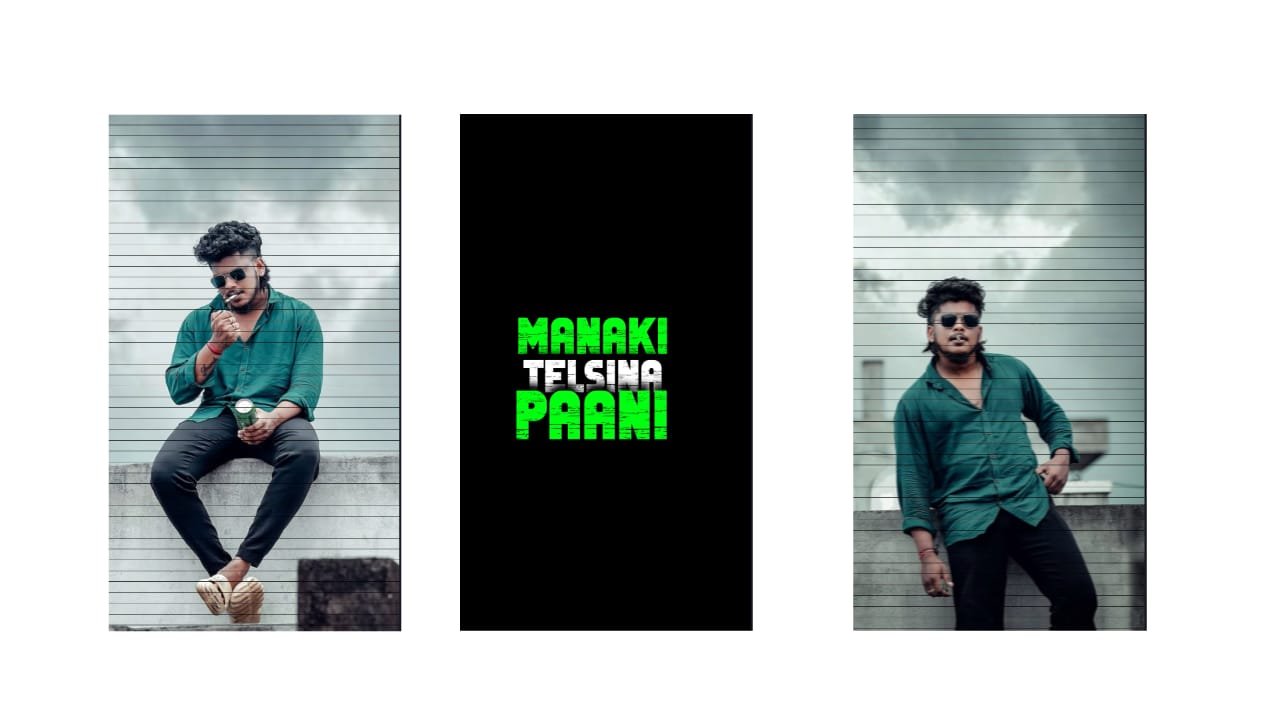
In today’s digital age, mass lyrical videos have become a huge trend, especially among boys who love to show style, attitude, and swag through music and visuals. These videos are popular on platforms like YouTube, Instagram Reels, Moj, and WhatsApp status. Whether it’s for showcasing heroism, friendship, bike rides, or powerful background music, creating a boys mass lyrical video on mobile is now super easy, even for beginners.
In this article, we’ll guide you step-by-step on how to create eye-catching boys mass lyrical videos using only your smartphone—without needing any expensive software or advanced editing skills.
—
What Is a Mass Lyrical Video?
A mass lyrical video is a video that combines bold visuals, powerful background music or songs, and stylized lyrics. These videos usually reflect:
Heroic attitude
Stylish dialogues
Punch lines from movies
High-beat BGM (Background Music)
Visual effects like shake, zoom, glitch, and flash
They are usually short, around 30–60 seconds, and ideal for status or social media posts.
—
Best Mobile Apps for Boys Mass Lyrical Video Editing
1. Alight Motion
Platform: Android, iOS
Features: Keyframe animation, velocity edit, text effects, shake transitions
Perfect for detailed lyrical editing with stylish motion
2. KineMaster
Platform: Android, iOS
Features: Layer-based editing, chroma key, audio filters
Good for adding multiple layers of text, images, and audio
3. CapCut
Platform: Android, iOS
Features: AI motion effects, beat sync, auto captions
Best for quick edits and social media trends
4. Node Video
Platform: Android, iOS
Features: 3D camera tracking, visual effects, particles
Useful for futuristic and cinematic mass edits
5. VN Video Editor
Platform: Android, iOS
Features: Clean interface, fast export, effects
Simple and effective for clean mass edits
—
Step-by-Step Process to Make a Boys Mass Lyrical Video
Step 1: Choose the Right Song or BGM
Pick a high-energy song or mass BGM. It can be from:
South Indian movies (DSP, Thaman, Anirudh)
Hindi rap or Punjabi beats
YouTube copyright-free music channels
Make sure the beat drops and lyrics reflect boldness and energy.
Step 2: Write or Extract the Lyrics
Use apps like Musixmatch or Genius to find accurate lyrics. If you’re using a dialogue or rap verse, write it manually in a text file.
Divide the lyrics based on the beat. For example:
Line 1 on beat 1
Line 2 on beat drop
Line 3 with glitch or zoom transition
Step 3: Import Your Media
Import the following:
Background video or image (bike ride, attitude pose, movie scene)
Music or BGM
Text layers for lyrics
You can shoot your own footage or use royalty-free clips from sites like Pexels, Pixabay, or Mixkit.
Step 4: Add Text Effects and Animations
Now it’s time to bring the lyrics to life. Use:
Shake effect when the beat drops
Zoom in/out on bold words
Glitch for attitude words
Color flicker for stylish look
In Alight Motion, use keyframes to animate text movement, rotation, or scaling. Add motion blur for smooth transitions.
Step 5: Sync with the Beat
Beat synchronization is the most important part. Use the waveform of the audio to align:
Every lyric drop
Every visual effect
Scene changes
Use CapCut or VN if you’re a beginner, as they offer automatic beat detection.
Step 6: Add Overlay Effects
Add overlays like:
Fire sparks
Neon lines
Light leaks
Flash transitions
Smoke or fog
These overlays are available for free download on many Telegram editing groups or YouTube channels. Use blend modes like “Screen” or “Overlay” for better results.
Step 7: Color Grade Your Video
Use LUTs (Look Up Tables) to color grade your video. Warm tones, teal & orange, or high contrast looks work best for mass videos. Most apps support LUT import or built-in filters.
You can also manually adjust:
Brightness
Contrast
Saturation
Shadows
Vibrance
—
Pro Tips to Make Your Video Stand Out
Use Custom Fonts: Download bold, Telugu, or Hindi fonts to make your lyrics stylish.
Add Hero Intro: Start with your name or nickname like “Mass Jai”, “Thug Krishna”, etc.
Slow Motion and Velocity: Slow down your footage in high-BPM parts to highlight the swag.
Use Black Bars (Cinematic Look): Add black bars on top and bottom to make it look like a movie scene.
Use Logo or Signature: Add your edit tag to build your identity (e.g., “Edited by santhosh rcf”).
Overusing Effects: Too many effects can spoil the mood. Keep it stylish but balanced.
Low-Quality Audio: Always use high-quality music to avoid distortion.
Copyright Music on YouTube: For monetization or AdSense safety, use royalty-free or licensed tracks.
Wrong Beat Sync: If lyrics and effects don’t match the beat, the impact is lost.
—
Creating a boys mass lyrical video is all about creativity, attitude, and timing. With the right tools and guidance, even a beginner can create powerful, cinematic videos directly on their phone. So take your mobile, pick a fire BGM, add bold lyrics, and start creating videos that scream style and swag.
Whether you’re editing for fun, social media, or building your own editing brand, mass lyrical videos are a great way to express energy and creativity. Keep practicing, explore new effects, and make every video better than the last.
Full project
XML file
Song


















Post Comment