Alight motion Instag Trending BGM Video Editing in Alight motion Trending lyrical video editing
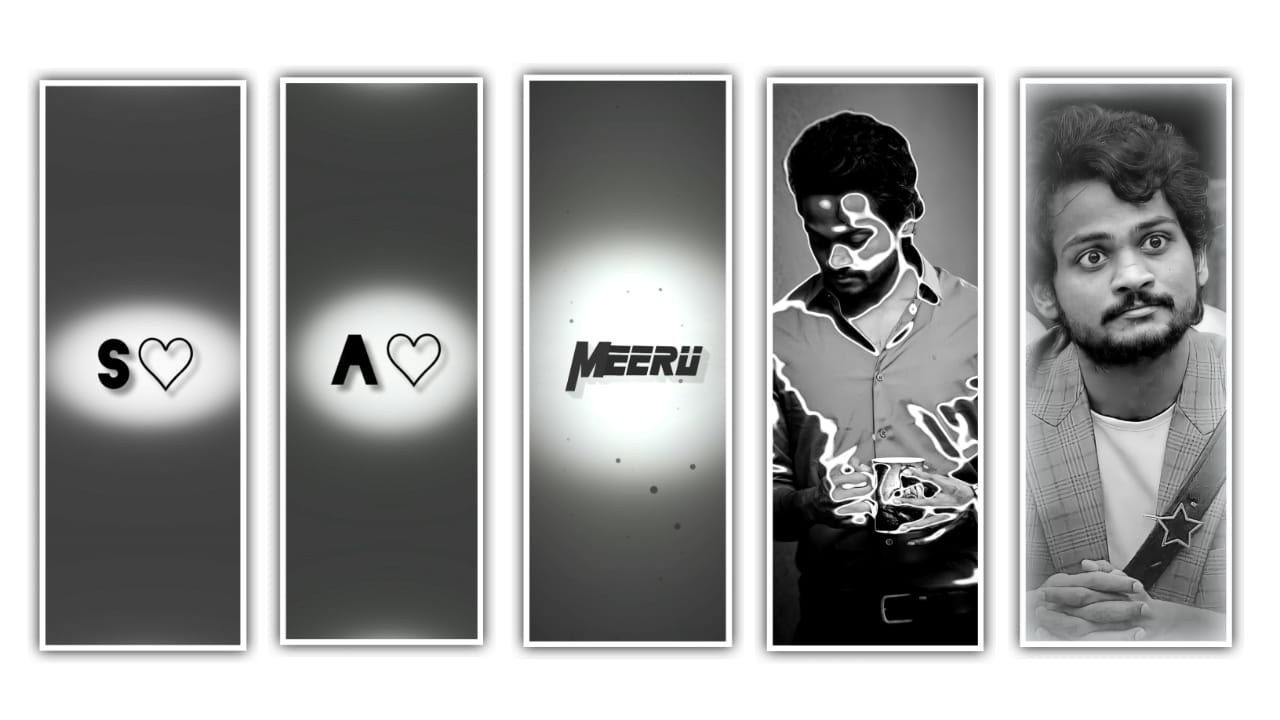
how are you guys I’m fine this is santhosh from rcf creations guruji youtube channel today I edited instgram Trending Best Friend ship video editing in alight motion.
Lets see how to edit this video this video I edited using alight motion this apk latest version available our telegram channel join and get latest version of alight motion apk.
OPEN ALIGHT MOTION
open alight motion after click plus icon select 9:16 ratio 60fps after click create project now add your image click plus icon go to media option after select your image click right side three dots press fill composition area. After click share icon after export frame as png.
OPEN BEAT MARK
Now add one background image first you click plus icon after go to media option under this website i given one background image you download after open beat mark project add background after long press Move to down
After trim extra part 5:42 seconds now replace images select first image after click color & fill click media button add one photo after select long layer image add replace same image. After select small duration image add another image after go back and select long layer image replace same image. And after add all starting images add shadow now i tell you how to add shadow select image after click border & shadow select 3rd option enable shadow. After go to 5:42 seconds add four photos and replace ×2 after add image’s red mark to red mark area under this website i given all photos link add all images.
EFFECT EDITING
1. Channel Remap ( RGB ) Effects
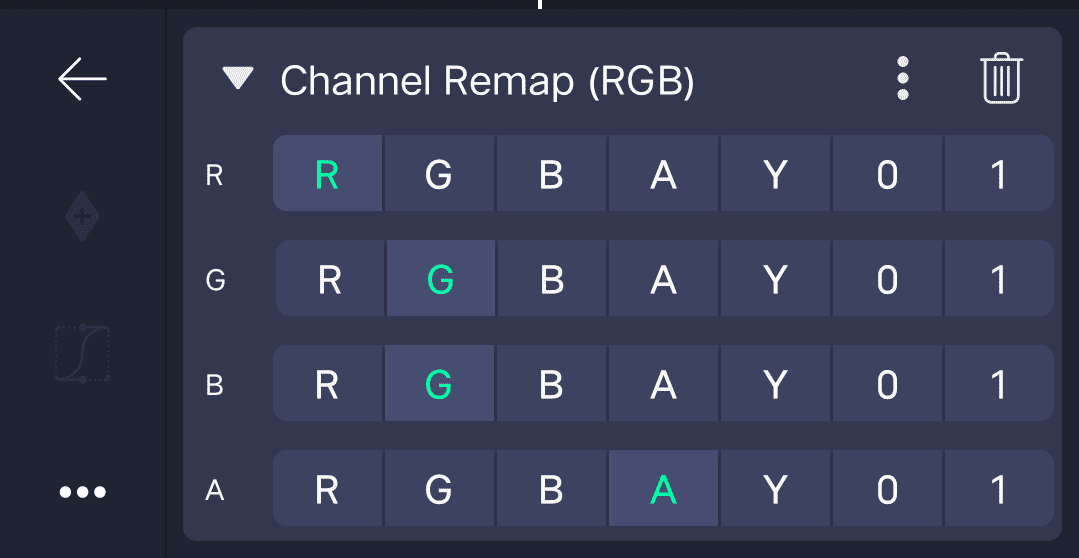
Adjust Like this 👇
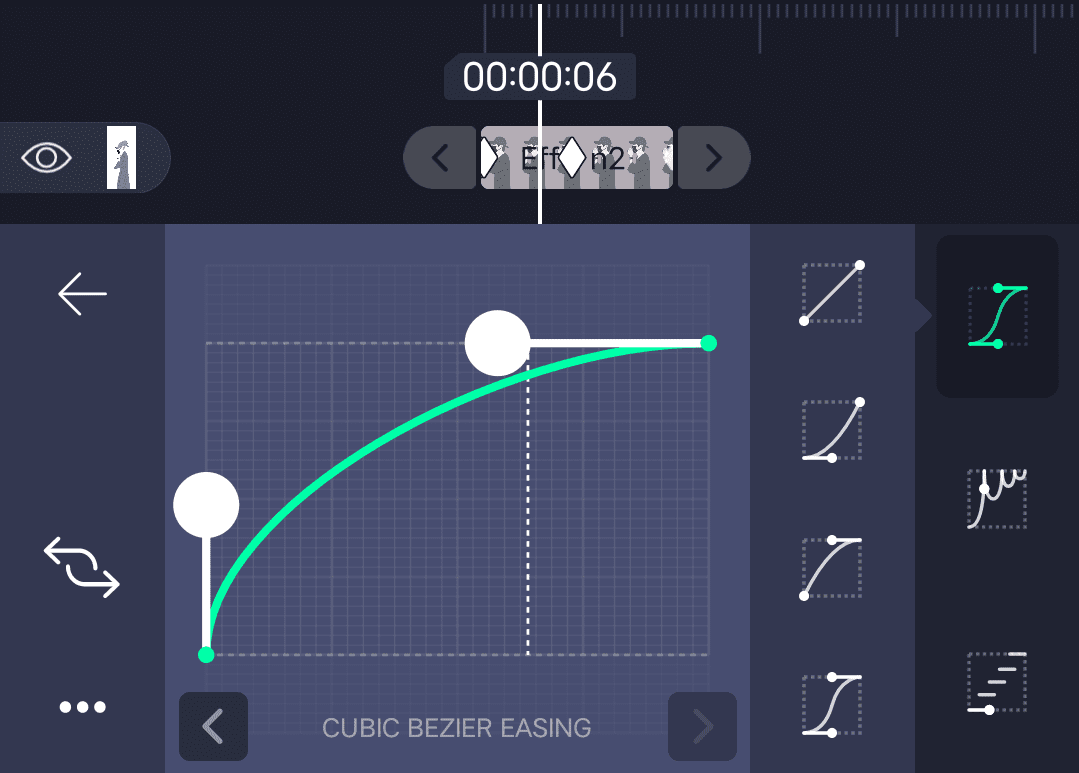
2. Exposure / Gamma Effect
- add key frame in starting adjust 0.86 and after add one key frame in middle adjust 0.0
Curve Adjust Like This 👇
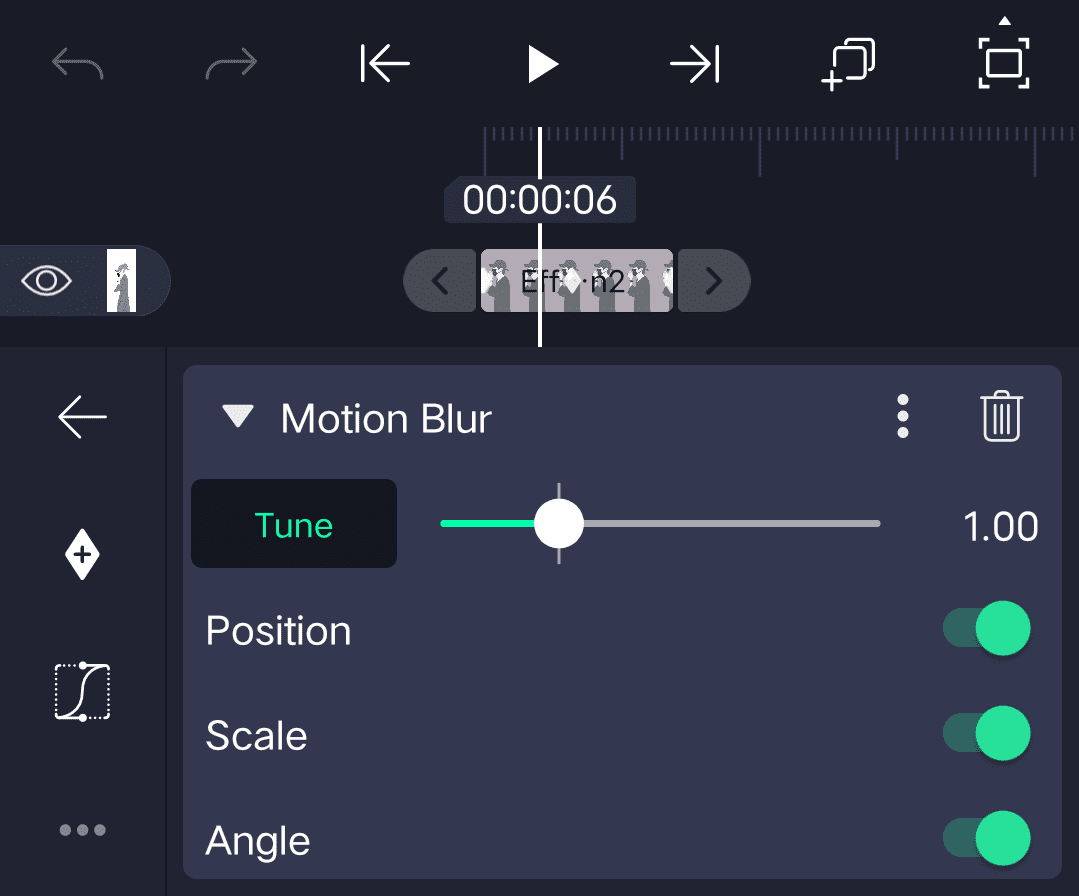
3. Motion Blur Effect
Adjust Like This 👇
4. Tiles Effect
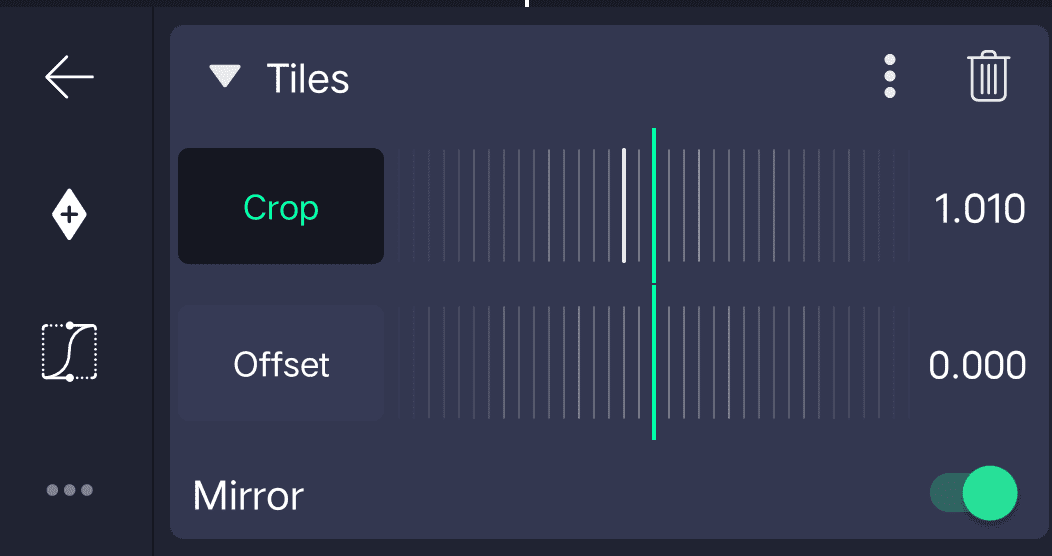
5. Oscillate Effect
- Magnitude – 250
- Phase add key frame in starting adjust 0.34 and add one key frame in middle adjust 0.51 and ending add one key adjust 0.34
Adjust Curve Like This 👇
1st 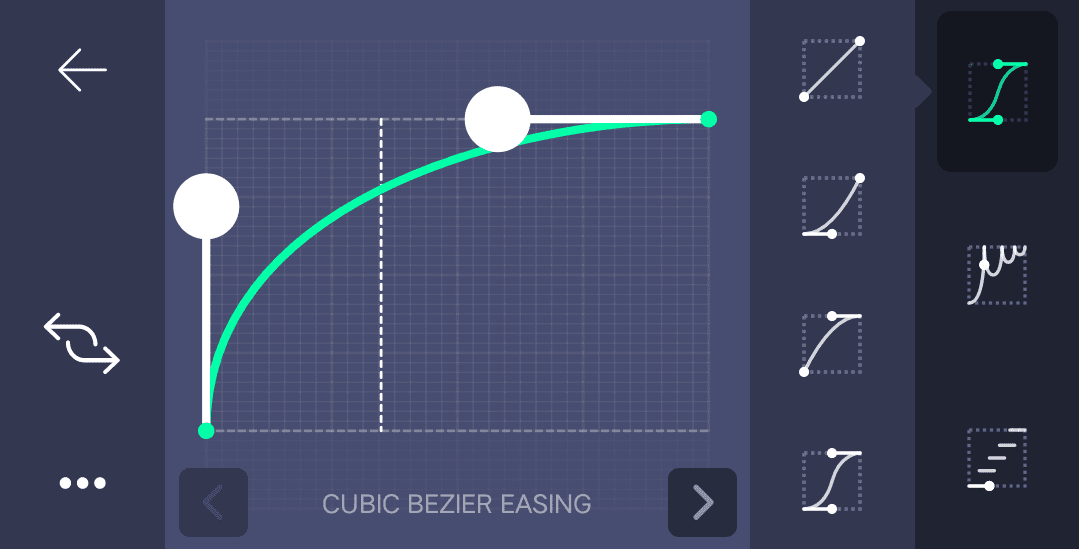
2nd 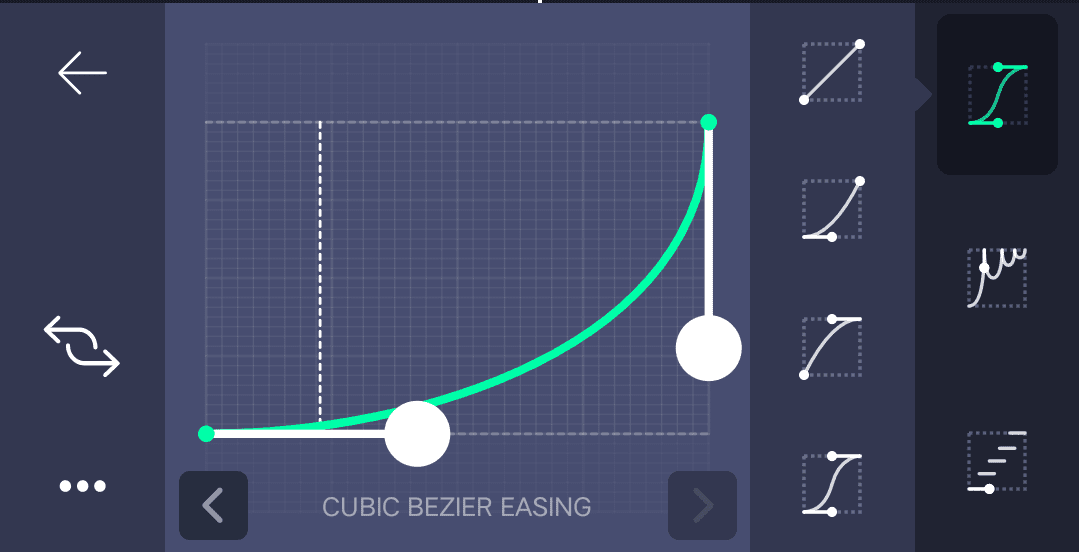
6. Turbulent Displace
- Offset x-100
- Strength add key frame in starting adjust 0.145 add ending one key frame adjust 0.00
- Scale add key frame in starting adjust 0.40 and add key frame in ending 1.92
Effect is completed you copy this effects after open beat mark project paste this effects starting to ending images.
OPEN SHAKE EFFECT
under this website i given shake effect project import starting is available image effects ending i given colour grading you select ending all layers after click layer + icon click copy layer option after open beat mark project click layer + icon after press paste layer option video is completed click share icon after select resolution high quality after export your video thanks for visiting our website santhosh rcf.com all Meterials links 👇
All Meterials Links
►Kinemastar Preset Link 👇
DOWNLOAD NOW
►Beat Mark project preset :
DOWNLOAD NOW
►Beat Mark XML file LINK :-
DOWNLOAD NOW
►Shake effect Preset LINK 👇
DOWNLOAD NOW
►Shake effect XML LINK 👇
DOWNLOAD NOW
► Video All photo LINK👇
DOWNLOAD NOW
► Song Download Link 🔗
DOWNLOAD NOW

















Post Comment