3D Intro Video Editing in Mobile MCA Intro video editing Kinemastar Alight motion Intro video edit
hi friends this is santhosh from rcf creations guruji youtube channel today I edited new trending mass song 4k status editing in alight motion.
OPEN BEAT MARK :-
add your images in starting first click plus icon after go to media option select your image after zoom full screen trim extra part in next red mark after add another image zoom full screen trim extra part in next red mark same process add all images after zoom full screen trim extra part next red mark 15 images need to add here.
EFFECT EDITING
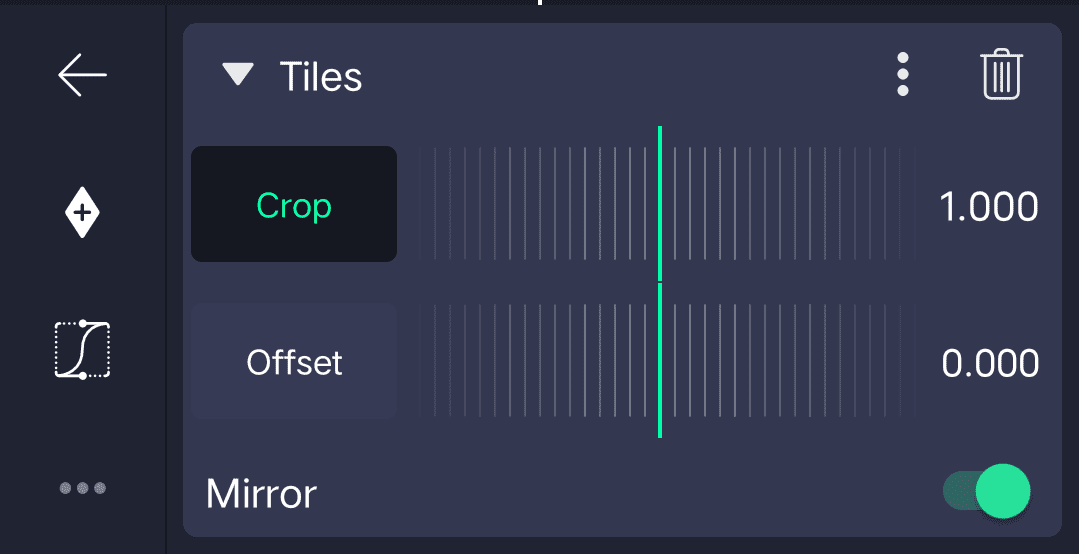
1. Tiles Effect
2. Squeeze Effects
- Strength add key frame in starting adjust 0.48 after add key 0:06 seconds adjust -0.06 after add key frame in middle adjust 0.09 after add one key frame in ending Adjust 0.00
3. Oscillate Effect
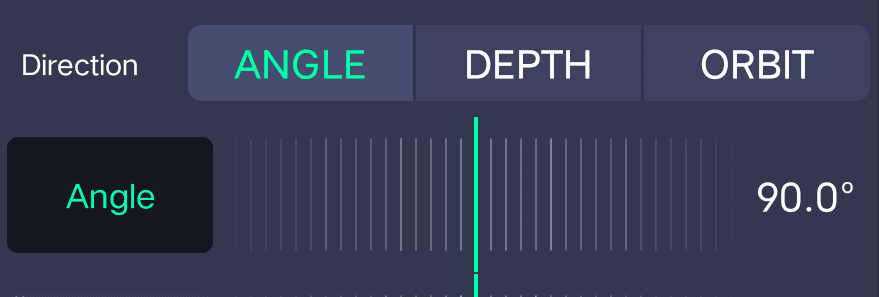
- Frequency add key frame in starting adjust 4.95Hz add key frame ending 0.00
- Magnitude add key frame in starting adjust 218 after add key frame in ending adjust 0.00
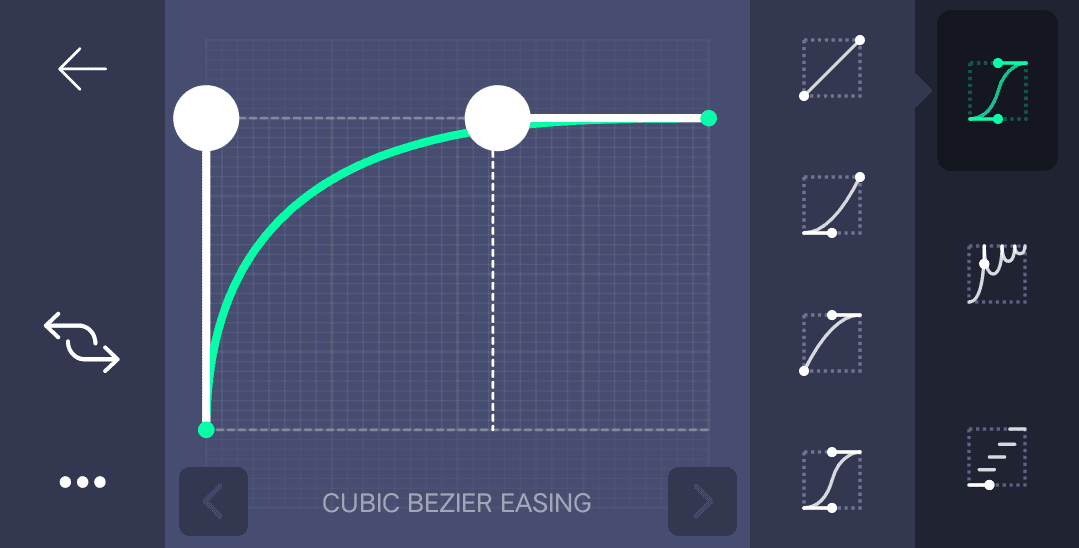
Adjust Curve 👇
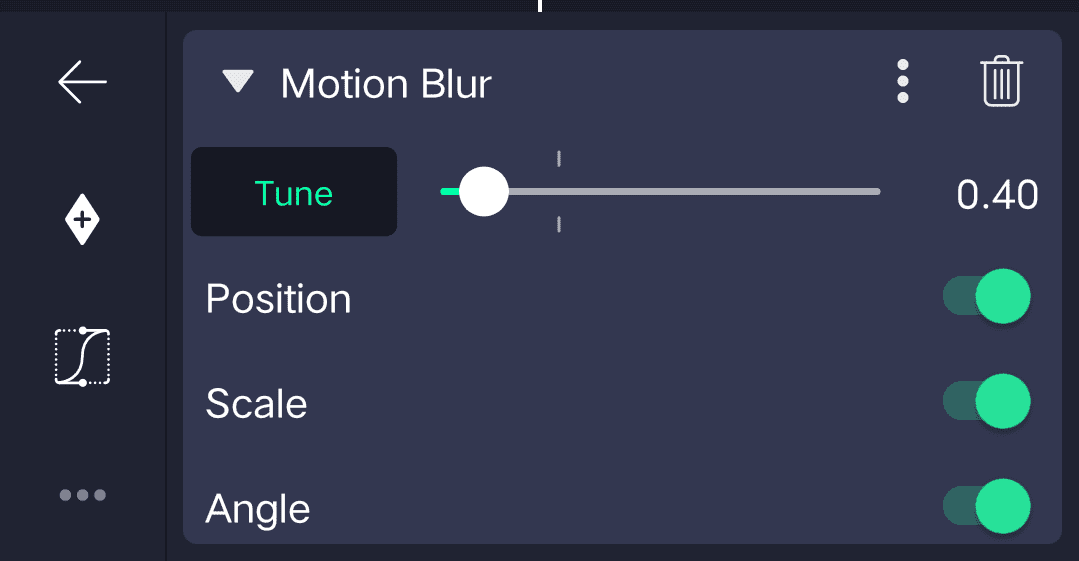
4. Motion Blur Effect
5. Exposure/ Gamma
- Exposure add key frame in starting adjust 1.17 after go to 0:02 add one key frame adjust 0.00
Copy effects after open beat mark project select first image click effects option select paste effects option.04:29 seconds paste this effects 09:16 seconds paste effects
After follow process first image paste effects after gap 1 image after paste effects gap 1 image paste effects one after one Images paste this effects.after open shake effect project copy 2nd image effects after open beat mark project paste this effects one photo after one photo add this effects all images video is completed thanks for visiting
All Meterials :-
►Kinemastar Preset Link 👇
DOWNLOAD NOW
►Full Presets LINK :-
DOWNLOAD NOW
►Full XML file LINK :-
DOWNLOAD NOW
► Video All photo LINK👇
DOWNLOAD NOW
► Song Download Link 🔗
DOWNLOAD NOW


















Post Comment