Love Failure Alight Motion Video Editing From World Famous Lover Movie Dialogue Instagram Trending 6jul2
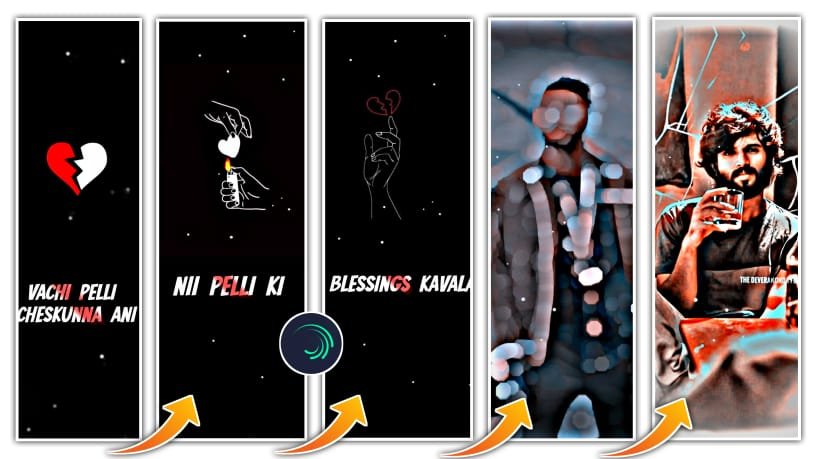
First of all open alight motion application. Before that I will given font in description please download it. And I will also given beat mark, XML, and preset also in description can download it. And open beat mark project. And add the photo from there and cut the extra part. And we can edit the added photo for that click on long press and bring it to down. Then click on template and go to blending and opecity and click on Lightroom and now we can add the photos from gallary by clicking plus icon and go to media and select the photos from gallery and extra part can be cut. And then click on three dots and select fill composition area and the photos will be zoomed.
After that click go to shake effect and click on last effect. And copy the effect from there and add it to the beat mark project. And again go to shake effects and click on first photo and copy the effect from the that and go back to beatmark project to add the effects to the two photos which will be appear. And after that leave three photos and add the effects to two photos.
And again leave three photos and add the effects to two photos. And again go back to shake effects and copy the second photo effects and come back to beatmark project and paste the effects to which the three photos will be added by clicking click on plus icon and click on effects and select the option paste the effects. And the same process will be continued for all three combines photos. And now we can add template for it before that tap on first photo and add it to 14.26 milliseconds.
And the click on background and select the shade option and black and white colour in the middle of the photos. And now click on black colour click on eride side and drag it upto end. and click on blending and click on lighting.
So guys the editing process will be completed. Hope you guys will like this editing. Please support us for the encouragement, Thankyou.
ALL METERIALS LINKS :
MATERIALS REQUIRED :
Beat Mark
Shake Effect
Alight Motion
MATERIAL LINKS:
BEAT MARK PRESET :-
DOWNLOAD
BEAT MARK XML :-
DOWNLOAD
FULL PROJECT XML FILE :-
DOWNLOAD
SHAKE EFFECT PRESET :-
DOWNLOAD
SHAKE EFFECT XML FILE :-
DOWNLOAD
TEMPLATE :-
DOWNLOAD
ALL IMAGES :-
DOWNLOAD


















Post Comment